Porta View for Productivity Hacks — Work Smarter
Introduction: Productivity, Reimagined 💼
Productivity isn’t about doing more. It’s about doing what matters—efficiently, calmly, and clearly.
True productivity is built on flow: clear focus, easy access to tools, and frictionless transitions between tasks. Yet most setups sabotage this. Phones lie flat, get buried in papers, or demand to be held constantly. Switching tabs, readjusting screens, or digging for your phone breaks your concentration.
Porta View changes that.
This small, sleek, portable phone stand clears desk chaos, keeps your screen visible, and frees your hands so you can stay in the zone. It’s not about adding more tech—it’s about simplifying what’s already there to help you work smarter, not harder.
Productivity Boosters with Porta View 🚀
Use It as a Second Screen for Notes 📝
Phones often hold critical side information—checklists, calendars, project briefs, and quick references.
Porta View turns your phone into a compact second screen.
It keeps your notes upright beside your laptop.
It saves you from breaking your flow to switch browser tabs.
It lets you glance at outlines, slides, or meeting agendas while writing.
It creates a dual-screen feel even in small spaces, without bulky monitors.
It’s ideal for students, freelancers, or anyone who multitasks across tools.
Hands-Free Video Calls 🎥
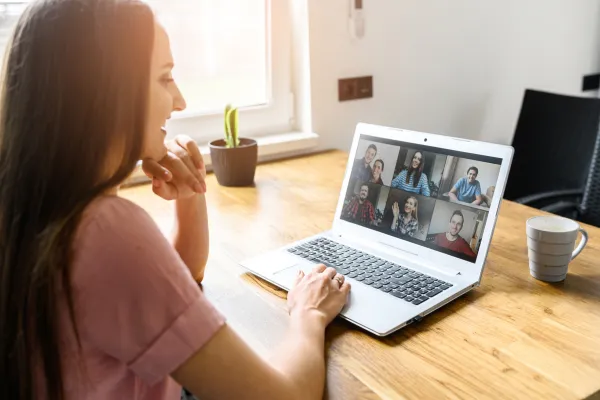
Video calls are part of daily productivity, but holding your phone through a meeting ruins your focus.
Porta View props your phone at eye level for better posture and polished framing.
It frees your hands to type notes, share screens, or review documents during Microsoft Teams or Zoom calls.
It prevents phones from sliding down books mid-call.
It keeps you looking professional and present while you multitask.
It helps you switch smoothly from call mode back to deep work mode.
Follow Task Apps Easily ✅
Most to-do lists live on your phone now.
Porta View keeps them visible without disrupting your screen flow.
It keeps Todoist, Notion, or calendar apps open next to your workspace.
It stops you from getting sidetracked while hunting for your list.
It makes it effortless to check off tasks as you go.
It creates a visual anchor for your priorities so they stay top of mind.
Compact on Crowded Desks 🖥️
Productivity collapses when clutter takes over.
Porta View takes up barely any space.
It fits between your keyboard, notebooks, and coffee mug.
It prevents your phone from slipping into paper piles.
It helps small desks feel organized and usable.
It creates breathing room that makes it easier to think clearly.
How Porta View Supercharges Productivity ⚡
Frees Your Hands
Lets you write, type, or sketch without juggling your phone.
Keeps Information Visible
Keeps timers, notes, and dashboards in view at all times.
Saves Time
Eliminates the micro-delays of constant tab-switching.
Reduces Distractions
Keeps your phone anchored so you stay anchored too.
Adds Professional Polish
Makes your setup look clean and intentional.
Supports Flow
Removes friction so your mind stays in work mode longer.
Real Productivity Stories 💬
“I keep Notion open on my phone next to my laptop. Porta View makes it feel like I have a tiny second screen just for notes.” — Claire, copywriter
“I used to hold my phone during every call. Now Porta View frees my hands to type while I talk, and I actually look professional on camera.” — Jordan, marketing manager
“I run through my Todoist list every morning while my phone sits on Porta View. It keeps me fast and focused.” — Ravi, software engineer
“My desk is the size of a placemat. This is the only stand that fits without adding clutter.” — Nina, grad student
Beyond the Office: Everyday Productivity 🌟
In the Kitchen
Follow recipe videos while prepping meals
Answer emails hands-free while timers run
At the Gym
Review your workout plan between sets
Track reps without dropping your phone
During Travel
Watch training videos in airports or hotel rooms
Prop your phone for travel planning and notes
In Study Sessions
Keep lecture slides visible while typing
Use flashcard apps without holding your phone
Productivity isn’t tied to a desk anymore—and neither is Porta View.
The Mental Edge 🧠
Productivity isn’t just about speed—it’s about clarity.
Porta View helps create mental space by clearing physical clutter.
It anchors your phone so your attention stays anchored too.
It reduces the friction of picking up, adjusting, and repositioning your phone every few minutes.
It keeps your workflow smooth and your thoughts focused.
It transforms scattered spaces into calm productivity zones.
Why Porta View Beats Bulky Gear 💼
Big stands are heavy and dominate your desk.
Smart displays cost too much and don’t travel.
DIY props collapse and interrupt your flow.
Porta View is the opposite:
Compact
Light
Affordable
Reliable
It’s designed for real, fast-moving workflows—not just pretty desks.
How Porta View Fits Modern Workflows 🖥️
Hybrid Workers
Moves from home desks to office hot-desks easily.
Freelancers
Keeps project briefs, time trackers, or Slack chats open while working.
Students
Holds study apps during essay writing or exam prep.
Managers
Props phones for quick calls while reviewing documents.
Creators
Keeps reference visuals visible while editing or posting.
Modern productivity is fluid—Porta View flows with it.
A Typical Productive Day with Porta View ⏰
Morning
Check priorities while sipping coffee
Phone on Porta View with calendar open during planning
Midday
Afternoon
Task app open while answering emails
Quick calls between tasks without breaking setup
Evening
Review the day’s wins
Tidy desk with phone docked neatly for tomorrow
Porta View doesn’t just sit there—it moves with you.
Extra Productivity Hacks with Porta View 💡
Use Focus Timers
Run Pomodoro timers on your phone while you write.
Track Micro-Goals
Keep your daily goal list visible all day.
Reference On-the-Fly
Prop up tutorials while you work on new tools.
Sync Across Devices
Keep your phone on Porta View while your laptop handles the heavy lifting.
Combine with Music
Play Spotify playlists on your phone for deep-focus work while it stays propped and hands-free.
These micro-hacks build macro results.
The Emotional Boost 🌈
True productivity feels calm, not frantic.
Porta View adds visual order to your workspace.
Its clean design makes your desk feel curated, not cluttered.
Its bright colors spark energy in long workdays.
It turns your desk into a place you want to sit down at.
It makes “work mode” feel satisfying instead of stressful.
The Small Tool That Makes a Big Difference 🌟
Clears clutter
Keeps your phone where you need it
Reduces distractions
Speeds up your workflow
Travels anywhere
Porta View is the tiny hack that quietly boosts your output every day.
Conclusion: Work Smarter, Not Harder 🏁
Productivity isn’t about grinding harder—it’s about removing the little frictions that slow you down.
Porta View does that beautifully.
It keeps your phone visible, your desk clear, and your hands free.
It supports focus, flow, and efficiency without adding complexity.
It’s small, simple, and powerful—the perfect productivity sidekick.
Porta View is the stand that helps you work smarter every single day.

